Maximize Your 3DEXPERIENCE Usage: 5 Powerful Features to Try Today
- Akshay Hedaoo
- September 8, 2025
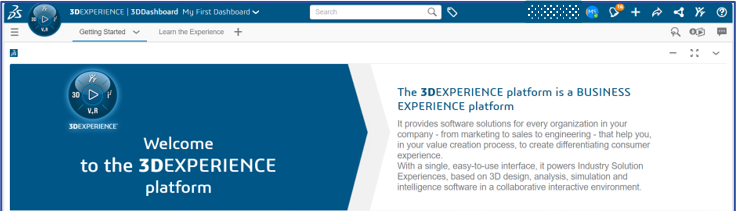
The 3DEXPERIENCE platform by Dassault Systèmes is packed with powerful tools that help teams design, collaborate, simulate, and manage products more efficiently. While many users are familiar with the basic functions, there are several lesser-known features that can significantly improve productivity and collaboration – if you know where to look.
In this blog, we shall explore the top 5 features in 3DEXPERIENCE you might not be using – but should! Whether you’re an Engineer, Designer, Manager, or Project Coordinator, these tools can make your workflows faster, smarter, and more connected.
Bookmark Editor – Organize Your Data Like A Pro
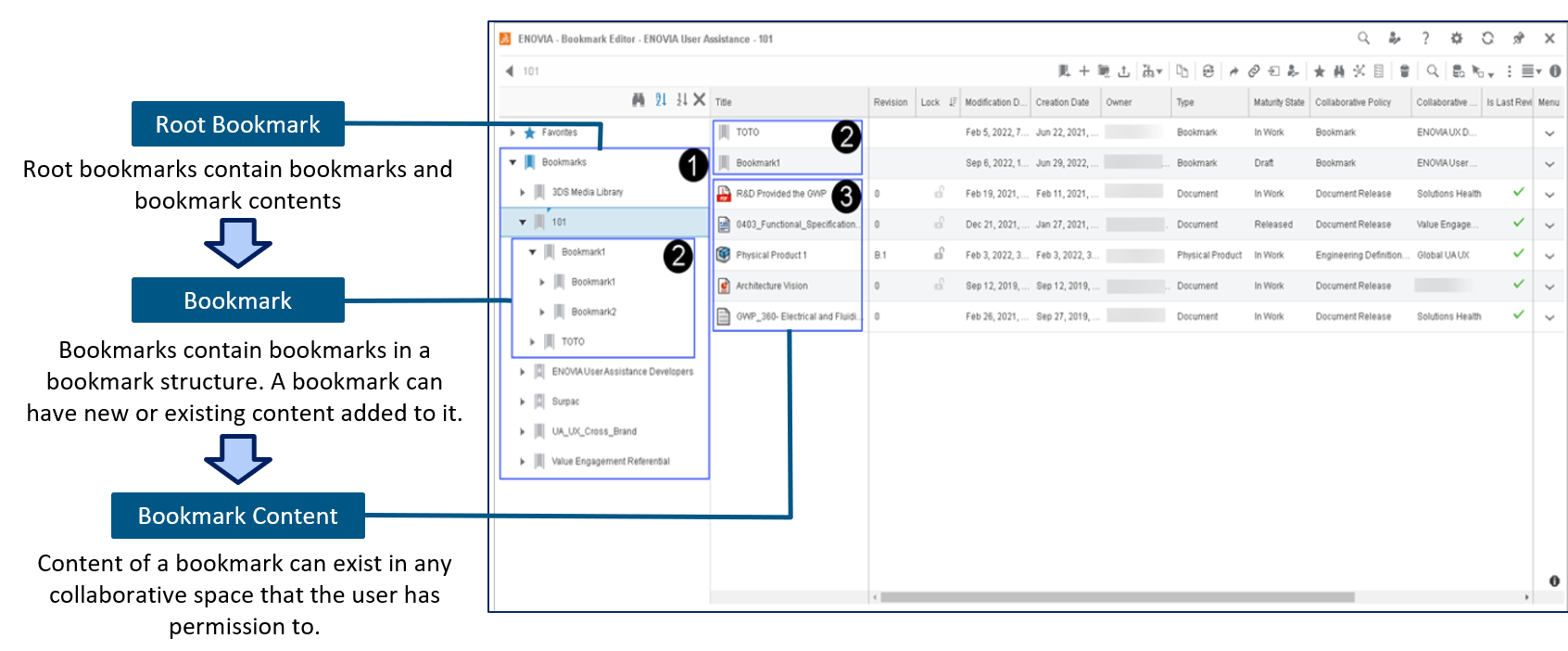
Think of the Bookmark Editor as your personal project organizer within 3DEXPERIENCE. It helps you sort and manage your files, designs, and documents across different company projects – all in one place.
Why use it?
Instead of digging through folders or searching for file names, you can create bookmarks for quick access. It is perfect for managing product versions, project milestones, or different stages of development.
One of the useful tips is to use bookmarks to group project files and share them easily with your team – no more confusion about “latest versions.”
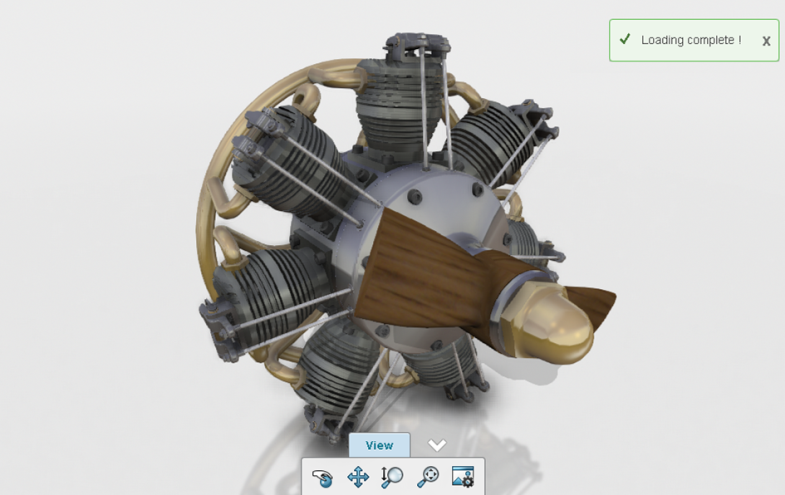
3DPlay – View and Share 3D Models Without CAD Software
With 3DPlay, you don’t need full CAD software to view, rotate, or inspect 3D models. It is a lightweight tool built into the platform that runs directly in your browser.
Why use it?
It allows stakeholders – including non-engineers – to interact with 3D models in real-time, without needing special software.
You can use 3DPlay to show designs to customers, management, or suppliers. It is a great way to communicate ideas visually.
Collaborative Tasks – Manage Work Visually
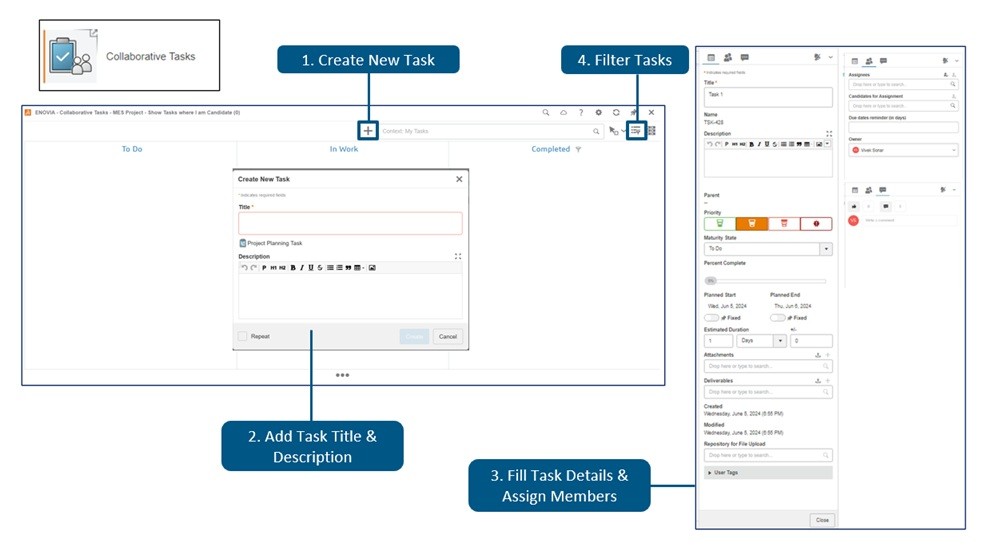
Forget sticky notes and disconnected task lists. The Collaborative Tasks app gives you a visual, drag-and-drop board to manage project work. It is like a digital Kanban board built right into 3DEXPERIENCE.
Why use it?
You can assign tasks, set deadlines, track progress, and attach files – all within your product development environment. You can create task boards for design reviews, approvals, or even daily team stand-ups.
Lifecycle Management – Control Your Product Data
One of the most powerful features of 3DEXPERIENCE is its built-in lifecycle management tools. They help you control who can see, edit, or approve your files at different stages – from concept to production.
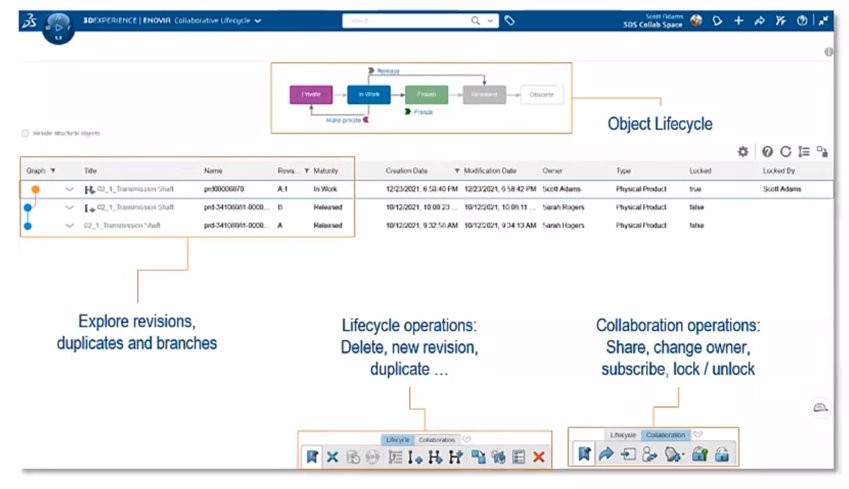
Why use it?
You can lock designs, manage revisions, and control approvals – reducing the risk of errors and miscommunication. You can set up lifecycles for parts and assemblies to ensure that changes are reviewed and documented before they go live.
3DSwym – Collaborate Like a Social Network for Engineers
3DSwym brings a social-media-like experience to your engineering projects. It allows teams to post updates, ask questions, share ideas, and discuss challenges – all within the platform.
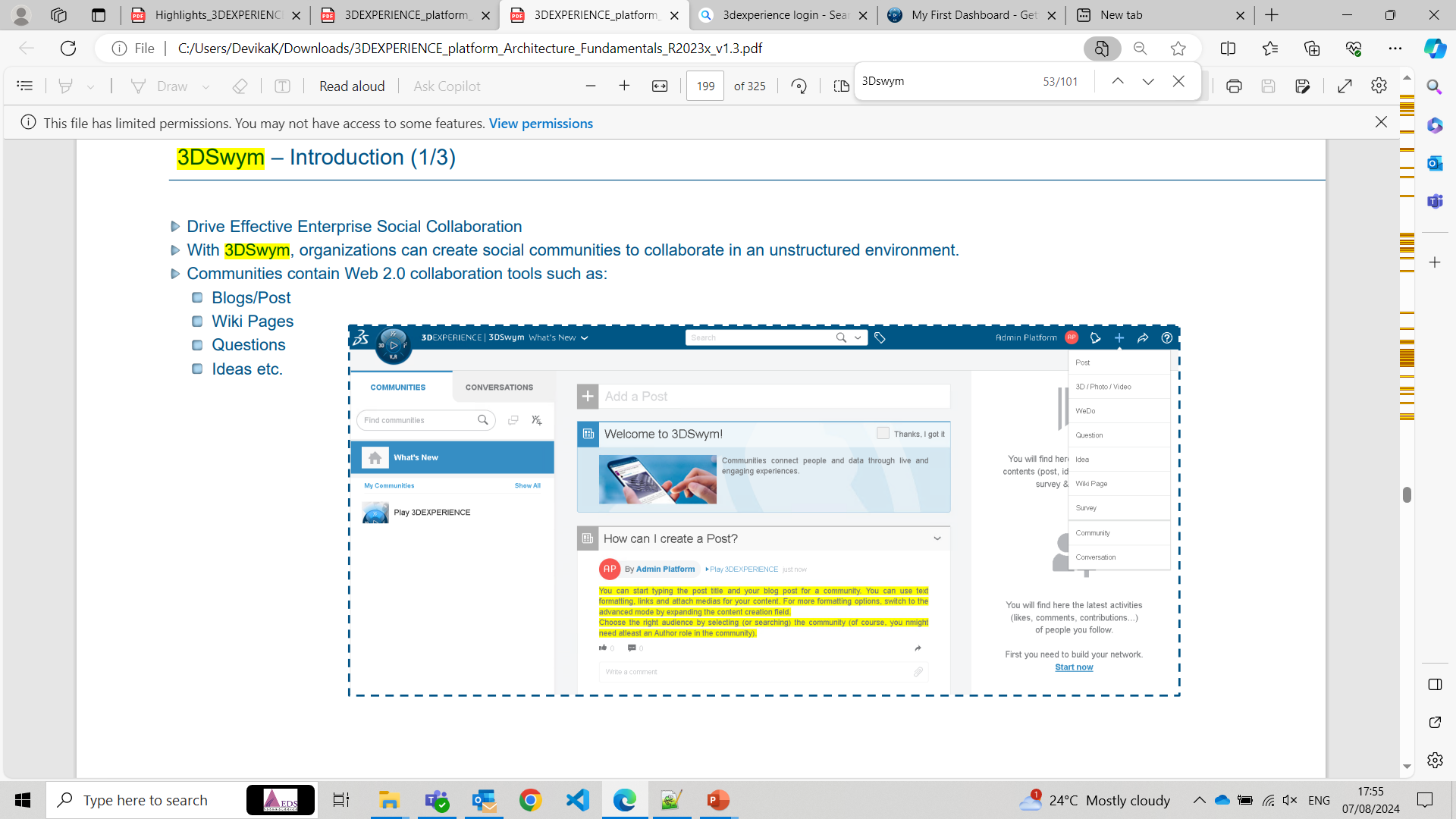
Why use it?
It improves communication across departments, especially for remote or cross-functional teams. You can create a 3DSwym community for each project or product line. It keeps conversations, ideas, and documents all in one place.
Conclusion
The 3DEXPERIENCE platform is much more than just a place to store CAD files – it is a complete ecosystem for collaboration, innovation, and efficient product development. By taking advantage of features like Bookmark Editor, 3DPlay, Collaborative Tasks, Lifecycle Management, and 3DSwym, your team can work smarter, stay better organized, and move faster from idea to execution.

Recent Posts
-
From Prototypes to Production: How Additive Manufacturing is Shaping Atmanirbhar Bharat
The conversation around additive manufacturing (AM) in India has evolved considerably over the past decade. What was once viewed primarily as a prototyping technology is…
-
Identify Stray Light in Imaging Systems with LightTools
Stray light is undesired light radiation that interacts with the components of a system and degrades its performance by generating noise, that significantly reduces image…
-
Redefining the Riding Experience with RAMSIS
In two‑wheeler design, comfort and safety start with the rider. RAMSIS (Realistic Anthropometric Mathematical System of Interior Comfort Simulation) is an ergonomic simulation platform that…
-
Enhancing Product Understanding through 3D Technical Illustrator
The 3D Technical Illustrator role within the 3DEXPERIENCE Platform enables organizations to transform complex engineering data into clear, interactive, and visually rich technical documentation. In…
-

Transforming Physical Parts into Digital Models with CATIA 3DEXPERIENCE Reverse Engineer role
Reverse engineering has become a critical capability in modern product development, especially when working with legacy components, competitor benchmarking, or physical prototypes that lack digital…
-
Fixing Search Service Down Issue in 3DEXPERIENCE Platform
Search is one of the most critical features in the 3DEXPERIENCE platform. If the search service goes down, users cannot find objects, documents, or data—impacting…
-
Common Installation Errors and How to Fix Them in 3DEXPERIENCE
The 3DEXPERIENCE Platform is a powerful solution used by industries worldwide for product lifecycle management (PLM), simulation, and collaboration. However, installing 3DEXPERIENCE—especially on-premise—can be complex…
-
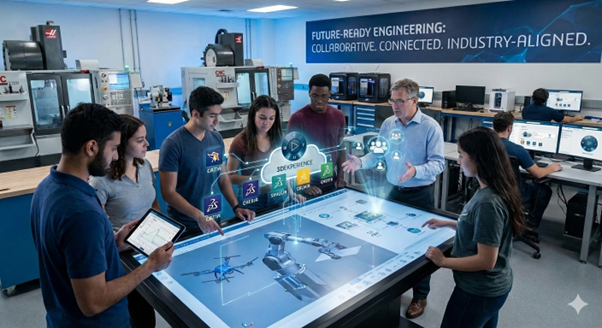
From Classroom to Industry: Empowering Future Engineers with the 3DEXPERIENCE Platform
In today’s fast-evolving engineering and design landscape, educational institutions must go beyond conventional CAD teaching methods. While standalone tools like CATIA V5, SOLIDWORKS, or traditional…
- Akshay Hedaoo
- September 8, 2025
Maximize Your 3DEXPERIENCE Usage: 5 Powerful Features to Try Today
The 3DEXPERIENCE platform by Dassault Systèmes is packed with powerful tools that help teams design, collaborate, simulate, and manage products more efficiently. While many users are familiar with the basic functions, there are several lesser-known features that can significantly improve productivity and collaboration – if you know where to look.
In this blog, we shall explore the top 5 features in 3DEXPERIENCE you might not be using – but should! Whether you’re an Engineer, Designer, Manager, or Project Coordinator, these tools can make your workflows faster, smarter, and more connected.
Bookmark Editor – Organize Your Data Like A Pro
Think of the Bookmark Editor as your personal project organizer within 3DEXPERIENCE. It helps you sort and manage your files, designs, and documents across different company projects – all in one place.
Why use it?
Instead of digging through folders or searching for file names, you can create bookmarks for quick access. It is perfect for managing product versions, project milestones, or different stages of development.
One of the useful tips is to use bookmarks to group project files and share them easily with your team – no more confusion about “latest versions.”
3DPlay – View and Share 3D Models Without CAD Software
With 3DPlay, you don’t need full CAD software to view, rotate, or inspect 3D models. It is a lightweight tool built into the platform that runs directly in your browser.
Why use it?
It allows stakeholders – including non-engineers – to interact with 3D models in real-time, without needing special software.
You can use 3DPlay to show designs to customers, management, or suppliers. It is a great way to communicate ideas visually.
Collaborative Tasks – Manage Work Visually
Forget sticky notes and disconnected task lists. The Collaborative Tasks app gives you a visual, drag-and-drop board to manage project work. It is like a digital Kanban board built right into 3DEXPERIENCE.
Why use it?
You can assign tasks, set deadlines, track progress, and attach files – all within your product development environment. You can create task boards for design reviews, approvals, or even daily team stand-ups.
Lifecycle Management – Control Your Product Data
One of the most powerful features of 3DEXPERIENCE is its built-in lifecycle management tools. They help you control who can see, edit, or approve your files at different stages – from concept to production.
Why use it?
You can lock designs, manage revisions, and control approvals – reducing the risk of errors and miscommunication. You can set up lifecycles for parts and assemblies to ensure that changes are reviewed and documented before they go live.
3DSwym – Collaborate Like a Social Network for Engineers
3DSwym brings a social-media-like experience to your engineering projects. It allows teams to post updates, ask questions, share ideas, and discuss challenges – all within the platform.
Why use it?
It improves communication across departments, especially for remote or cross-functional teams. You can create a 3DSwym community for each project or product line. It keeps conversations, ideas, and documents all in one place.
Conclusion
The 3DEXPERIENCE platform is much more than just a place to store CAD files – it is a complete ecosystem for collaboration, innovation, and efficient product development. By taking advantage of features like Bookmark Editor, 3DPlay, Collaborative Tasks, Lifecycle Management, and 3DSwym, your team can work smarter, stay better organized, and move faster from idea to execution.