3DEXPERIENCE CATIA Composite Design – Delivering Next-Generation Precision for Advanced Composite Structures

3DEXPERIENCE CATIA Composite Design is an advanced, collaborative, and highly integrated engineering solution designed to manage the complexity of modern composite structures used across aerospace, automotive, marine, defence, energy, and high-performance industrial applications. Unlike conventional metallic parts, composite materials are engineered from multiple stacked plies with different orientations, materials, and thicknesses, where overall structural performance depends significantly on fiber direction, laminate sequence, and draping behaviour. The 3DEXPERIENCE platform elevates this capability further by providing a unified digital environment that connects design, simulation, manufacturing, and data management, ensuring composite development is accurate, traceable, and fully aligned with enterprise workflows.


A key strength of 3DEXPERIENCE CATIA Composite Design is its robust ply-based design methodology, enabling engineers to build laminates layer by layer with exceptional precision. Each ply can be defined with exact boundaries, material definitions, thickness, fiber orientations (0°, ±45°, 90°, or custom), and stacking sequences, while zones and groups help manage large and complex components efficiently. The platform provides powerful draping simulation capabilities that allow designers to visualize how composite material behaves on curved or freeform surfaces and automatically adapts ply geometry to minimize wrinkles, overlaps, fiber distortion, and misalignment. This ensures that designs are not only structurally accurate but also realistic for manufacturing conditions.
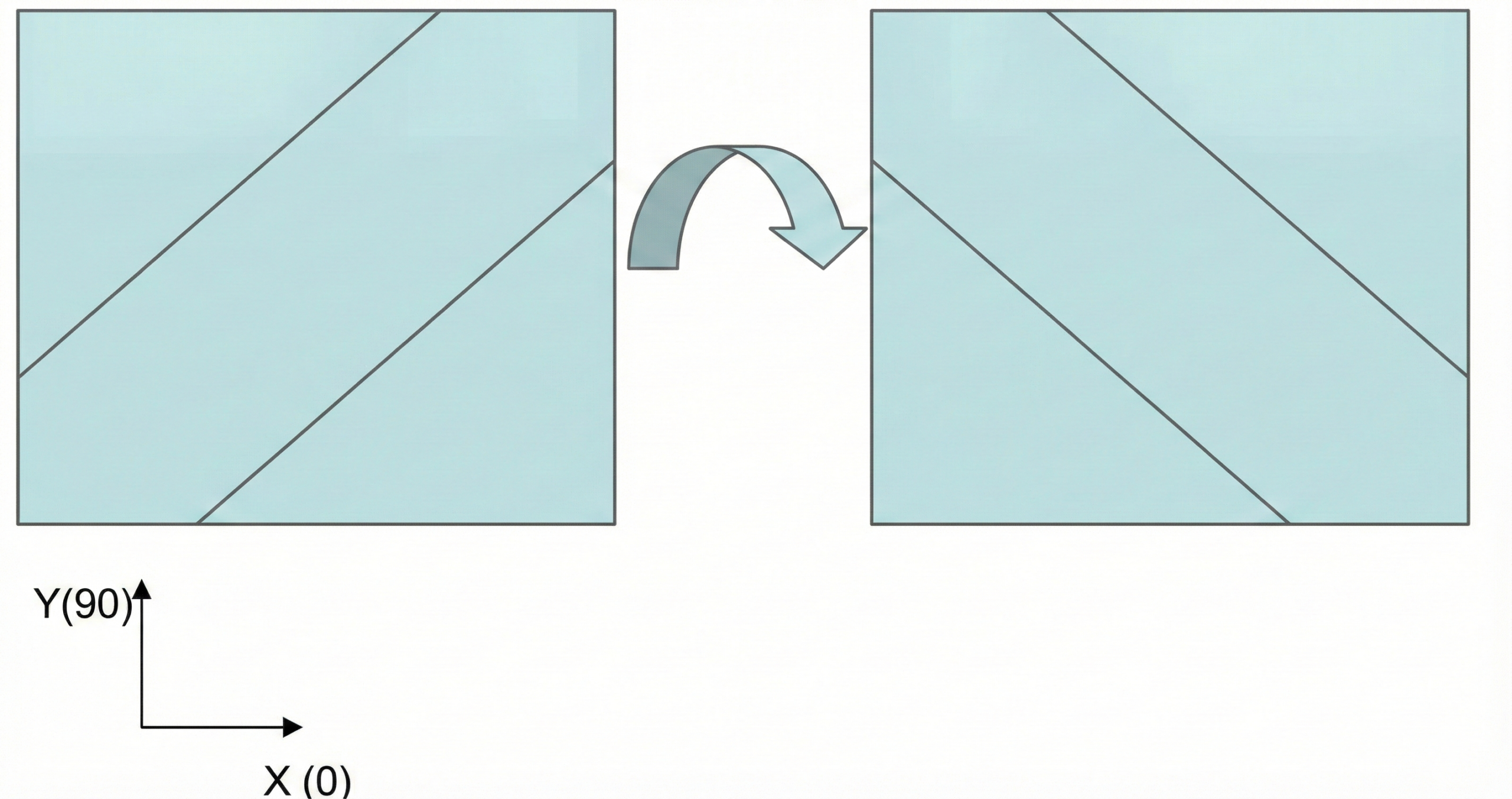
Fig- Ply Fiber Direction


Visualization, validation, and decision-making are significantly enhanced in 3DEXPERIENCE CATIA. Engineers can review laminate buildup step-by-step, analyse thickness variations, verify stack sequences, and evaluate overlaps and gaps with high clarity. Composite grid definitions and fiber direction maps support continuity and precision across complex aerodynamic, structural, or ergonomic surfaces. With the platform’s integrated data management capabilities, every design iteration remains traceable, controlled, and synchronized, reducing the risk of errors and rework while strengthening digital continuity from concept to production.


Another major advantage of 3DEXPERIENCE CATIA Composite Design is its strong alignment with manufacturing needs. The system supports automated flat pattern generation while considering draping effects and real fiber behaviour. Engineers can produce ply books, detailed manufacturing documentation, optimized nesting layouts, and laser projection data to support both manual lay-up and automated fiber placement processes. Through the unified 3DEXPERIENCE ecosystem, manufacturing teams, engineering teams, and suppliers can collaborate seamlessly, enabling faster decision-making, reduced material waste, shorter lead times, and higher production reliability.

From a structural performance perspective, 3DEXPERIENCE CATIA connects seamlessly with SIMULIA tools such as Abaqus for advanced composite analysis. Laminate definitions, stacking sequences, material details, and fiber orientations can be transferred directly for simulation to assess stiffness, load-bearing capability, failure criteria, delamination risks, fatigue performance, and optimization opportunities. This integrated simulation-driven design approach enables engineers to validate concepts early and refine them efficiently within the same platform without losing design intent or data integrity.
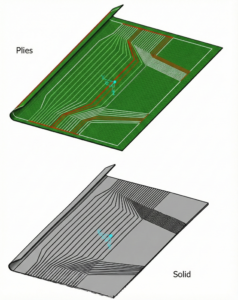

Fig- Solid representation of Plies


In conclusion, 3DEXPERIENCE CATIA Composite Design offers a comprehensive, intelligent, and collaborative environment for engineering composite structures with unmatched accuracy and efficiency. By integrating detailed ply-based modeling, advanced visualization, manufacturability assessment, enterprise collaboration, and simulation connectivity within a single platform, it empowers industries to deliver lighter, stronger, and more reliable composite products. Organizations benefit from reduced development cycles, enhanced product quality, minimized manufacturing risks, and accelerated innovation. For companies looking to master composite engineering while ensuring digital continuity and manufacturing readiness, 3DEXPERIENCE CATIA Composite Design stands as a future-ready and industry-leading solution

Innovating with Light: Advanced Optical Solutions for Automotive, Medical, and Photonic Systems

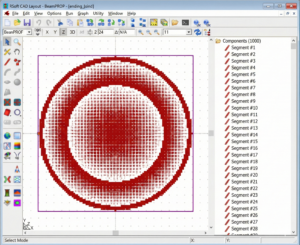
The rapidly evolving optical industry demands cutting-edge systems with exceptional precision and accuracy. As the market for these advanced solutions grows, engineers and manufacturers must swiftly introduce unique and affordable lighting technologies. With the rise of virtual prototyping and digital twins, the capability to meticulously design, simulate, analyze and optimize light behaviour is paramount. Combining Synopsys’ optical software suite of LightTools, CODE V, LucidShape, and RSoft makes it possible to create a diverse range of optical systems for industries like automotive, aerospace, telecommunications, and healthcare. These powerful tools streamline the development process, reducing reliance on expensive physical prototypes and minimizing risks.


Automotive Optical Solutions

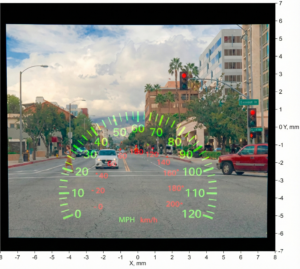
Autonomous driving technology (ADS) and advanced driver assistance systems (ADAS) are revolutionizing the automotive industry. These systems require sophisticated lighting solutions, including pixel headlights, high and low beam lamps, tail lights, indicators, and head-up displays, to enhance safety and reduce driver distractions.


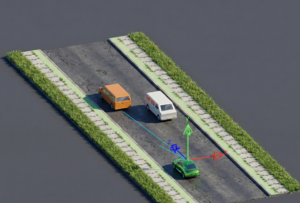
Beyond these external components, dashboard illumination, light guides, and interior lighting are crucial elements of a modern vehicle. To ensure optimal performance, it’s essential not only to design the system and analyze light distribution but also to visualize the system under various lighting conditions and conduct on-road simulations to evaluate its real-world behaviour.


Imaging Lenses Design

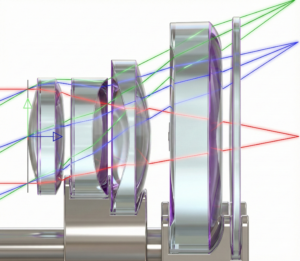
The lens design is the foundation of numerous optical systems, including cameras, projection displays, medical instrumentation, space and defence technologies, and microlithographic lenses for imaging intricate patterns on computer chips. Optimizing key features like wavefront variance, modulation transfer function (MTF), and coupling efficiency is preeminent in creating high-performance imaging systems.


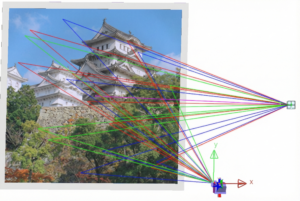
Analyzing stray light and simulating ghost images arising from total internal reflections is crucial for understanding potential image degradation. Additionally, factors like lens element weight, cost analysis, system alignment, and interactive tolerancing help assess the impact of manufacturing variations on system performance, ensuring the delivery of an optimal as-built optical system.


Medical Instrumentation

By mastering the fabrication of optical and photonic devices, we can pave the way for innovative medical solutions that revolutionize healthcare. Biological sensors are designed to analyze the optical characteristics of biological samples, determine their molecular composition, aid in disease diagnosis, and track drug delivery.


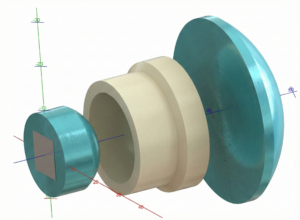
Metal lens used in endoscopes and optical coherence tomography (OCT) offer advantages such as miniaturization and improved imaging capabilities. Additionally, reflector cups for surgical lights must adhere to stringent illuminance distribution regulations to ensure optimal illumination and patient safety.


Silicon Photonic Systems

Semiconductor lasers are fundamental for modern optical communication systems, enabling high-speed data transmission over long distances. Efficient fiber coupling, achieved through carefully designing fibers, couplers, and coupling lenses, is critical for minimizing optical losses. Modulators, including electro-optic, thermo-optic, and carrier modulators, enable the control and manipulation of light signals.

LiDAR systems, which utilize laser technology for ranging and detection, are gaining prominence in applications like autonomous vehicles and robotics. On-chip LiDAR systems, incorporating components like transmitters, phased arrays, and multi-physics utilities, offer advantages in size and integration.

Synopsys’ comprehensive suite of optical solutions provides unparalleled capabilities for design, visualization, and simulation. As the demand for advanced optical technologies continues to grow, Synopsys’ solutions are poised to play a vital role in driving future innovations.

Synopsys’ comprehensive optical solutions suite provides unparalleled design, visualization, and simulation capabilities. As the demand for advanced optical technologies continues to grow, Synopsys’ solutions are poised to play a vital role in driving future innovations.

Parametric Modeling to Improve Design Efficiency in 3DEXPERIENCE CATIA

Parametric modeling is more than applying dimensions and constraints – it is about capturing design intent so that changes can be made without rework. In 3DEXPERIENCE CATIA, well-planned parametric models reduce redesign time, improve collaboration, and ensure long-term stability. 

This blog focuses on core principles which describe how parametric modelling improves design efficiency. 


Design Intent is the Foundation 

Efficient models start with a clear understanding of what will change and what must remain constant. Before creating geometry, identify functional dimensions, interfaces, and relationships between features. 

Defining design intent early allows CATIA parameters and formulas to control geometry predictably. Models built without intent often fail when updates are required later in the development cycle.


Sketch Quality Determines Model Stability 

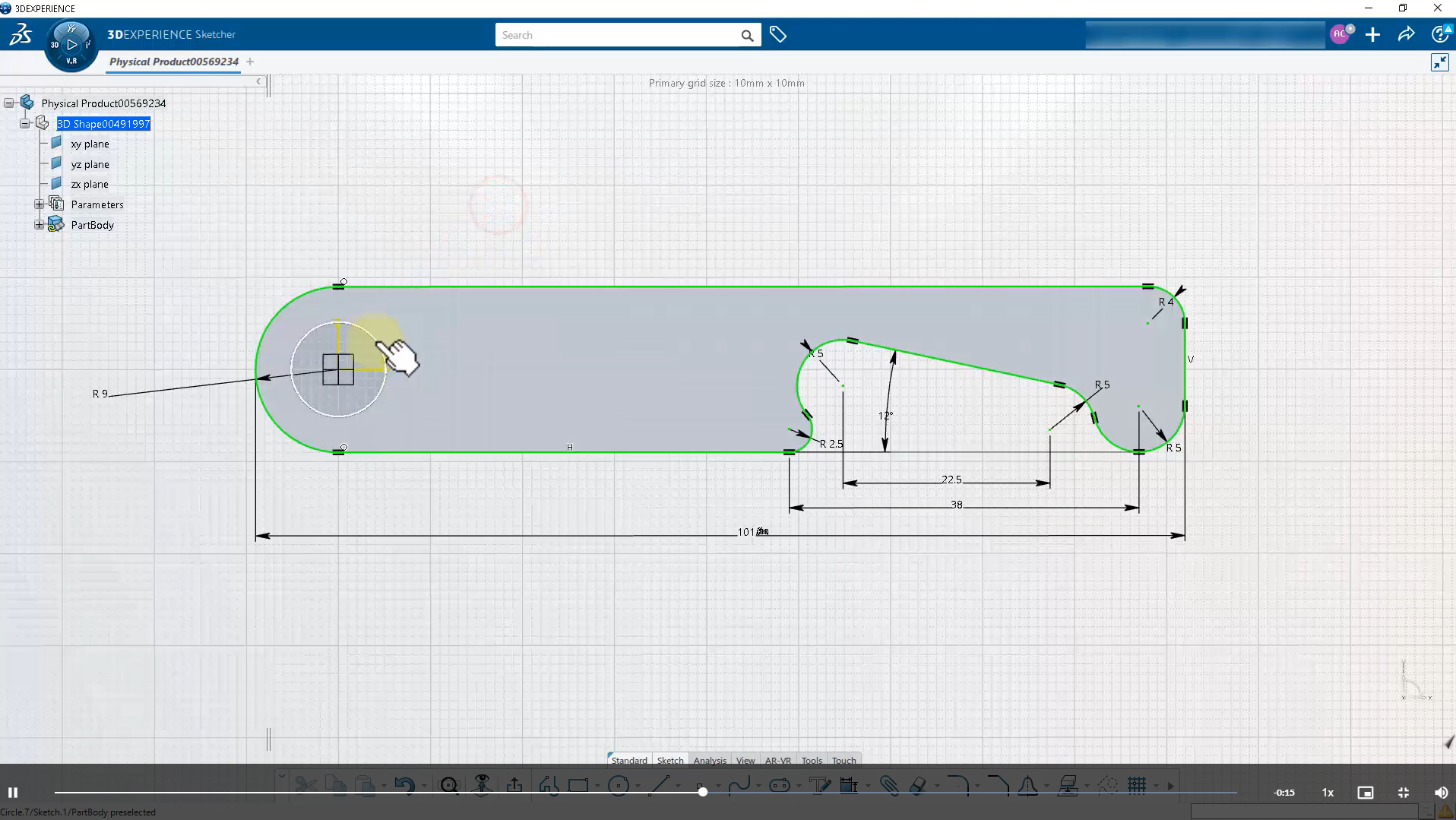
A model is only as strong as its sketches. Fully constrained sketches ensure predictable behaviour and prevent unintended geometry movement. 

Avoid over-dimensioning; rely on geometric constraints such as symmetry, parallelism, and concentricity. This approach simplifies modifications and clearly communicates intent to team members. 


Use Stable References, Not Faces 

Excessive reliance on face-based references is a common cause of model failure. Faces may change or disappear, breaking dependent features. 

Instead, use datum planes, axes, published geometry, or master sketches. Stable references are especially important in parametric and top-down designs, keeping models resilient to changes. 


Keep the Feature Tree Structured 

A clean, organized feature tree improves performance and collaboration. Name features logically and arranges them in design order, not creation order. 

Place reference geometry at the top, core shape features in the middle, and finishing features such as fillets and chamfers at the end. This structure makes troubleshooting and future modifications easier. 


Drive Geometry with Parameters 

Manual edits defeat the purpose of parametric modeling. Key dimensions should be driven by parameters and formulas that reflect functional relationships. 

For instance, wall thicknesses, hole depths, and clearances can link to primary dimensions. This ensures consistent updates and reduces design errors. 


Apply Finishing Features Last 

Fillets and chamfers are important but fragile. Applying them too early can cause failures during updates. 

Treat finishing features as final operations and group them together. This makes it easy to modify or suppress them during redesigns. 


Plan for Change Before Release 

A robust parametric model should be tested by modifying key dimensions to ensure the geometry reacts predictably. This “what-if” validation confirms readiness for lifecycle progression. 

In a collaborative 3DEXPERIENCE environment, this step is critical before moving a model to Frozen or Released states. 


Conclusion 

Professional parametric modeling in 3DEXPERIENCE CATIA relies on clarity, structure, and foresight. Models with stable references, clean sketches, and meaningful parameters adapt smoothly to change and support efficient team collaboration. 

By applying these principles, designers can reduce rework, improve model reliability, and accelerate product development. 

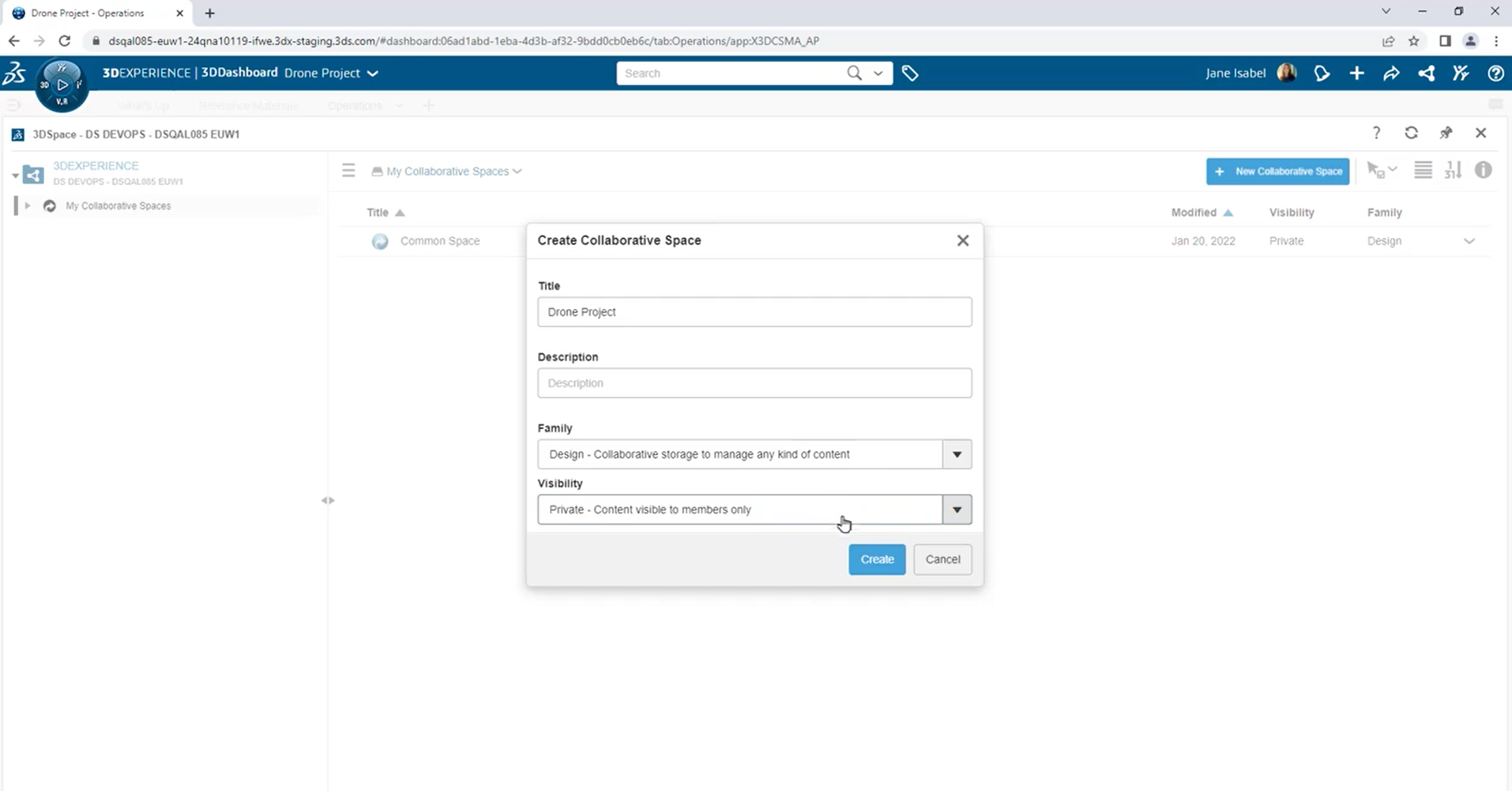
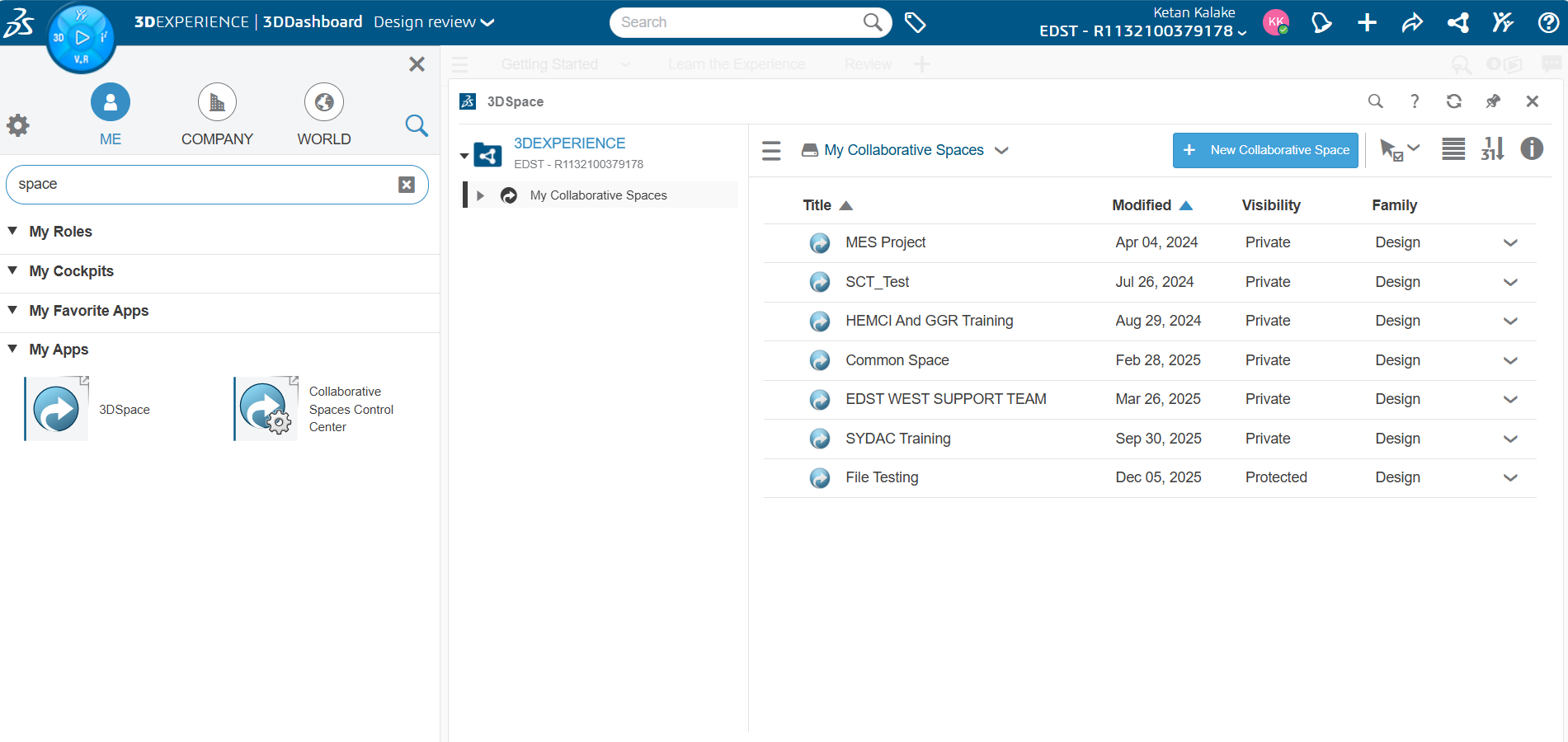
Configuring Collaborative Spaces in 3DEXPERIENCE for Large Teams

In large organizations, effective collaboration is critical. 3DEXPERIENCE provides Collaborative Spaces, enabling teams to work concurrently on designs, manage data securely, and maintain version control. Proper configuration ensures efficiency, security, and traceability, even with dozens or hundreds of users.

This article outlines best practices for setting up Collaborative Spaces for large teams.


Understand Collaborative Spaces

A Collaborative Space in 3DEXPERIENCE is a virtual workspace where users can:

  • Store and manage parts, assemblies, and drawings
  • Control lifecycle states and revisions
  • Collaborate in real time with team members

For large teams, Collaborative Spaces are central hubs, ensuring that everyone works with up to date, validated data.


Define Roles and Permissions

Large teams need clear responsibilities. In 3DEXPERIENCE, roles control access, edit rights, and lifecycle actions.

Best practices:

  • Assign Designers full access to in-progress models.
  • Assign Reviewers/Managers read or approval permissions.
  • Use Observers for stakeholders who need visibility without editing rights.

This prevents accidental modifications and maintains data integrity.


Organize Work by Project or Product

For large teams, structure matters. Create Collaborative Spaces based on:

  • Project (e.g., “Electric Vehicle Chassis”)
  • Product line (e.g., “Engine Components”)

Within each space, you can further organize by functional areas (mechanical, electrical, or design phases). A clear hierarchy reduces confusion and improves data retrieval.


Use Lifecycle and Revision Control

Lifecycle management ensures that data moves from work-in-progress to released status in a controlled manner.

Tips:

  • Set In Work → Frozen → Released states for parts and assemblies.
  • Implement Change Actions for post-release modifications.
  • Track revisions carefully to ensure traceability and accountability.

Proper lifecycle configuration prevents errors and ensures compliance across teams.


Enable Real-Time Collaboration

For large teams, simultaneous work is key. Use 3DEXPERIENCE features like:

  • Locking objects during editing to avoid conflicts
  • Real-time comments and markups for design reviews
  • Dashboards to monitor team activity and pending approvals

This keeps everyone aligned and reduces redundant work.


Implement Naming and Data Standards

Consistency reduces confusion in large teams. Define:

  • Standardized file and part naming conventions
  • Metadata rules for parts (material, size, function)
  • Templates and master assemblies for recurring designs

These standards make searching, reporting, and collaboration seamless.


Monitor and Audit Spaces Regularly

For teams of 20+ designers, periodic auditing is essential:

  • Review access and permissions
  • Validate data integrity and lifecycle compliance
  • Archive obsolete or inactive projects

This keeps Collaborative Spaces organized and ensures long-term usability.


Conclusion

Configuring Collaborative Spaces in 3DEXPERIENCE properly is essential for large teams to collaborate efficiently and safely. Clear roles, structured workspaces, lifecycle management, and standardized data practices enable teams to deliver high-quality designs faster, reduce errors, and maintain compliance.

3DEXPERIENCE Web Apps – A Complete Guide to Classic Web Applications

The 3DEXPERIENCE Web Apps – Classic User’s Guide explains the common tools, user interface, and functionalities provided by Collaboration and Approvals, which are used across all classic web apps on the 3DEXPERIENCE platform. These classic web apps support both baseline system behavior and customer-specific environments, making them flexible for enterprise needs.

Unlike dashboard-embedded apps, a web app opens in a separate browser tab, offering a focused and dedicated workspace for managing business data.


What Are 3DEXPERIENCE Web Apps?

A 3DEXPERIENCE Web App is a browser-based application that opens in its own tab instead of inside a dashboard widget. These apps are designed to help users manage documents, projects, issues, tasks, changes, and approvals efficiently within the ENOVIA environment.


Default Home Page – The Dashboard

When you log in or click Home, the system opens the Dashboard, which acts as the default landing page for classic web apps.

Key Highlights of the Dashboard

  • Quick access to documents, collections, projects, issues, and tasks
  • Visual charts to analyze workload and pending actions
  • Shortcuts and collections for faster navigation
  • Alerts for casual license users when monthly usage limits are near
  • Real-time overview of recent document changes and responsibilities

Users can refine displayed information using filters and interactive charts to focus on what needs immediate attention.


Accessing the Dashboard

You can access the dashboard using any of the following methods:

  • Click Home
  • Click > Home from the top bar
  • Navigate via Collaboration and Approvals → Dashboard

To change the default home page, users can configure settings through Web App Preferences.


Common Tools Available in All Classic Web Apps

Advanced Table Management

Users can:

  • Customize column order, width, and sorting
  • Group rows and filter information
  • View data as tables or graphs
  • Edit information in a spreadsheet-like interface
  • Generate comparison reports between two business objects

Lifecycle Management

Web apps allow users to:

  • Create, review, release, and obsolete objects
  • Manage approvals, tasks, and signatures
  • Promote or demote individual or multiple objects
  • Run validation and lifecycle reports

Background Job Monitoring

Track the progress of long-running background jobs without interrupting work.

Output and Export Options

Users can:

  • Print pages
  • Generate PDFs
  • Export data in CSV, HTML, or Text formats

Sharing and Collaboration

  • Share business objects with other users
  • Transfer ownership of content securely
  • Subscribe to object events and notifications

Dashboard Tabs Overview

New Docs

  • Latest 100 documents created by you in the last 10 days
  • Displays only Document objects

Changed Docs

  • Latest 100 documents modified by you in the last 10 days

My Recent Docs

  • Documents created or modified and owned by you

My Trainings

  • Visible only if Quality-based Document Control is installed
  • Lists documents assigned for training

Collections

  • Group related objects such as parts, documents, or project data

Projects

  • Available if Project Management is installed
  • Displays projects you have access to

Change Management Menu

The Change menu supports structured engineering change processes:

  • Add objects to an existing or new Change Request
  • Add objects to an existing or new Change Order
  • Add objects to an existing or new Change Action

This ensures traceability and controlled product evolution.


Columns and Actions in Document Pages

Each list page displays columns depending on the object type, such as:

  • Name, Title, Description
  • Revision and Version
  • State and Lifecycle status
  • Originator and creation date
  • Locked files and deliverables

Common Actions Include:

  • Download
  • Check-in / Check-out
  • Lock / Unlock
  • Upload new files
  • Subscribe to document events
  • Open properties in a new window

Charts and Visual Analytics

Charts appear on the right side of the dashboard and provide insights into in-process work.

Common Dashboard Charts

  • Assigned Items
  • Locked Documents
  • Project Tasks
  • Issues and Changes
  • Due Tasks Timeline
  • Updates of Documents Over Time

Interactive charts allow users to click data points to filter the list automatically.


Collections – Organizing Your Work

Collections allow users to save frequently accessed objects in one place.

Key capabilities include:

  • Clipboard collection for temporary storage
  • User-defined collections
  • Adding items directly from list pages
  • Searching within collections (on-premises configuration)

Sharing and Ownership Transfer

ENOVIA web apps support:

  • Sharing objects with specific users
  • Controlling access permissions
  • Transferring ownership of content securely

Lifecycles and Approvals

Lifecycles define who can do what and when during an object’s existence.

Supported features:

  • Approval workflows
  • Task assignments
  • Digital signatures
  • Promote and demote operations
  • Validation reports

Generating Output

Users can:

  • Render pages as PDF
  • Export tables and structured data
  • Maintain formatting during exports

Web App Preferences

Preferences allow users to personalize the web app experience.

Key Preference Categories

  • Currency and unit conversion
  • Export file formats
  • Pagination controls
  • Time zone settings
  • Email notification frequency
  • Display of images in tables
  • Discussion view and sorting options
  • Browser toolbar visibility

Preferences can be accessed via Top Bar → Preferences and applied globally or per app.


Conclusion

The 3DEXPERIENCE Classic Web Apps provide a powerful, flexible, and intuitive environment for managing product data, documents, tasks, and engineering changes. With rich dashboards, advanced filtering, lifecycle control, and collaboration tools, these apps help organizations improve visibility, productivity, and control across the product lifecycle.

Whether you are managing documents, tracking engineering changes, or collaborating across teams, 3DEXPERIENCE Web Apps deliver a robust digital backbone for modern engineering enterprises.

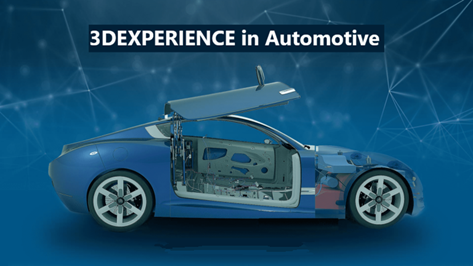
3DEXPERIENCE in the Automotive Industry: Use Cases & Benefits for OEMs, Tier-1 Suppliers, and EV Manufacturers

The automotive industry is evolving at an unprecedented pace. OEMs are under pressure to reduce time to market, Tier-1 suppliers must align closely with multiple customers, and EV manufacturers are redefining vehicle architectures and development models altogether.

In this highly complex environment, disconnected tools and siloed processes are no longer sustainable. This is where Dassault Systemes’ 3DEXPERIENCE platform plays a critical role—enabling a unified, collaborative, and data-driven approach across the entire automotive value chain.

In this blog, I would like to highlight how 3DEXPERIENCE is transforming automotive development, with specific use cases and benefits for OEMs, Tier-1 suppliers, and EV manufacturers.


Why 3DEXPERIENCE Matters in Automotive

3DEXPERIENCE is more than a PLM system—it is a business experience platform that connects design, engineering, simulation, manufacturing, and lifecycle management in one digital ecosystem.

For automotive organizations, this means:

  • A single source of truth for all product data
  • Real-time collaboration across teams and partners
  • Faster innovation with reduced risk

3DEXPERIENCE for Automotive OEMs

Key Use Cases for OEMs

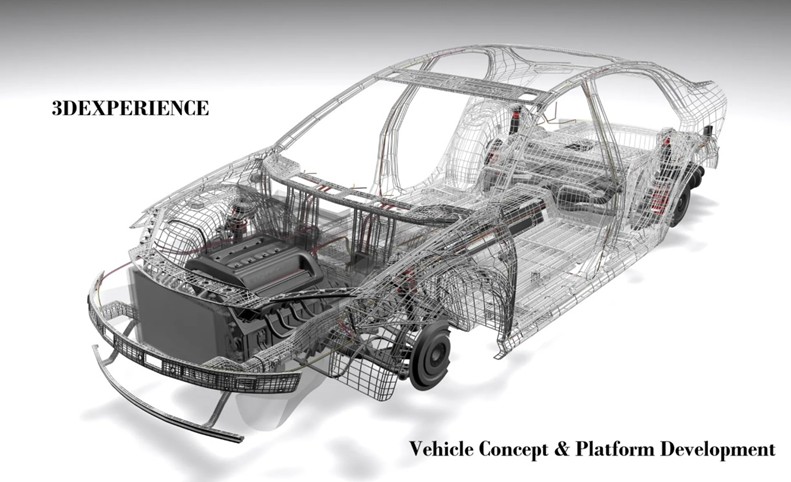
  • Vehicle Concept & Platform Development
    OEMs can develop vehicle platforms, body structures, interiors, and powertrains within a collaborative 3D environment. Early visibility across departments ensures better decision-making and fewer late-stage changes.
  • End-to-End Product Lifecycle Management
    3DEXPERIENCE helps OEMs manage complex BOMs, multiple variants, regulatory compliance, and engineering changes across global programs.
  • Virtual Validation & Compliance
    Crashworthiness, safety regulations, aerodynamics, and durability can be validated digitally, reducing dependency on physical prototypes.

Benefits for OEMs

  • Reduced time to market
  • Improved vehicle quality and compliance
  • Better coordination between engineering and manufacturing
  • Lower development and validation costs


3DEXPERIENCE for Tier-1 Automotive Suppliers

Key Use Cases for Tier-1 Suppliers

  • Customer-Aligned Product Development
    Tier-1 suppliers often work with multiple OEMs, each with unique requirements. 3DEXPERIENCE enables suppliers to manage customer-specific configurations while maintaining internal design standards.
  • Collaborative Engineering & Data Sharing
    Secure, role-based access allows suppliers to collaborate with OEMs on a shared data model, minimizing data translation errors and rework.
  • Change Management & Traceability
    Engineering changes from OEMs can be tracked, assessed, and implemented quickly, ensuring full traceability throughout the lifecycle.

Benefits for Tier-1 Suppliers

  • Faster response to OEM changes
  • Improved collaboration and transparency
  • Reduced engineering rework
  • Stronger customer relationships


3DEXPERIENCE for EV Manufacturers

Key Use Cases for EV Development

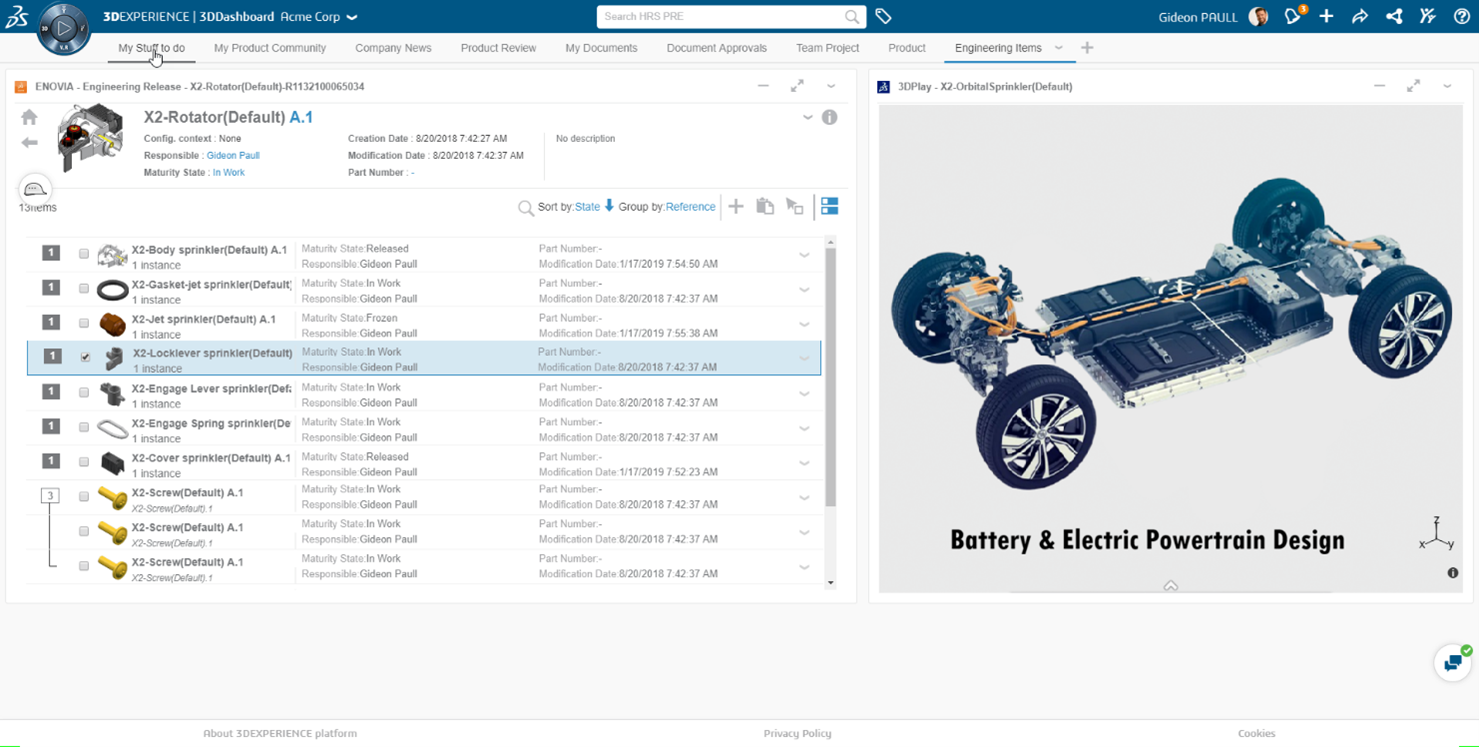
  • Battery & Electric Powertrain Design
    EV manufacturers can design and validate battery packs, electric motors, thermal systems, and power electronics using integrated design and simulation tools.
  • Lightweight & Sustainable Design
    3DEXPERIENCE supports the use of lightweight materials and sustainable design practices, which are critical for extending vehicle range and meeting environmental goals.
  • Rapid Innovation & Start-Up Scalability
    For EV startups, the platform provides scalability without the need for multiple disconnected tools, supporting rapid growth and frequent design iterations.

Benefits for EV Manufacturers

  • Faster EV development cycles
  • Improved battery performance and safety
  • Reduced physical prototyping
  • Support for sustainable and digital-first manufacturing


Manufacturing Excellence with 3DEXPERIENCE

Across OEMs, Tier-1 suppliers, and EV manufacturers, 3DEXPERIENCE enables virtual manufacturing planning—from plant layouts and assembly processes to robotics and tooling validation.

Manufacturing issues are identified early, ensuring smoother production ramp-up and improved operational efficiency.

Result: Reduced production risks and optimized manufacturing workflows.

Business Benefits Across the Automotive Value Chain

  • Accelerated Time to Market through digital continuity
  • Improved Product Quality via early validation
  • Lower Development & Production Costs
  • Enhanced Collaboration across global teams and partners
  • Future-Ready Digital Foundation for EVs, ADAS, and autonomous vehicles


Conclusion

Whether you are an established OEM, a Tier-1 supplier supporting multiple vehicle programs, or an EV manufacturer driving the future of mobility, the 3DEXPERIENCE platform provides the digital backbone needed to manage complexity and accelerate innovation.

By adopting 3DEXPERIENCE, automotive organizations can move beyond traditional development methods and embrace a truly collaborative, virtual, and data-driven approach—ensuring long-term competitiveness in a rapidly changing industry.

At our organization, we see 3DEXPERIENCE not just as a technology platform, but as a strategic enabler for automotive digital transformation.

Subscribe to our newsletter

Get all the latest information on Events, Sales and Offers.